If you have ever configured a MAG-style set-top box, you have probably used a Stalker portal without even realising what it was. This middleware transforms a small black Linux box into a cable-TV-style IPTV system, featuring a branded home screen, live channels, movies, and an on-screen programme guide. In this guide, we will explain what a Stalker portal does, how to configure it, and how to resolve the common problems faced by UK users.
What Is the Stalker Portal?
You can compare this process to visiting a website through a web browser. The browser does not contain the website itself; the website is stored on a server and delivered when requested. Stalker operates in a similar way. Your service provider operates the portal, your set–top box links to it, and this setup delivers a full cable–TV–like interface that feels seamlessly built into the device.
Quick note
“Stalker” is the technical term used for this middleware. Many UK users simply refer to it as the “portal” or “portal URL” without knowing the technical system operating behind the scenes.
How Stalker Differs from M3U
Both Stalker portals and M3U playlists can provide access to the same channels, but the overall experience is quite different. Understanding these differences can help you decide which device or IPTV player is most suitable for your needs.
Comparison of Stalker Portal and M3U Playlist Methods
| Feature | Stalker Portal | M3U Playlist |
|---|---|---|
| Interface | Branded by the provider | Layout controlled by the player |
| Channel list updates | Automatic, handled by the server | Requires a manual playlist reload |
| Identification | Uses a MAC address | Uses URL credentials |
| EPG and artwork | Integrated into the portal | Depends on the player |
| Best devices | MAG-style set-top boxes | Smarters, TiviMate, VLC |
| Overall experience | Cable-style | App-style |
In everyday use, a Stalker portal resembles the traditional cable box experience many people remember, whereas an M3U URL is more like using a streaming application on a phone. Many providers, including services targeting UK users in 2026, offer both connection methods with the same subscription, allowing you to choose the option that best suits your device.
How to Set Up a Stalker Portal Step by Step
Setting up a Stalker portal is generally quicker than installing a new application, although a few small details can cause problems for first-time users. Follow the steps below in the correct order, and you should be able to complete the setup in approximately fifteen minutes.
- Connect the box to your TV.and internet by using an HDMI cable to link the set–top box to your television.Then, connect the device to the internet.
An Ethernet connection is recommended for live sports, while Wi-Fi can also work but may experience occasional performance drops during busy periods.
Switch on the set-top box.
Once powered on, the device’s default home screen should appear within approximately ten seconds. Remember that this is the box‘s built-in portal, not the portal provided by your IPTV service.
Locate your MAC address.
Go to Settings, then select System, followed by About, and look for the MAC address. It will look similar to00:1A:79:XX:XX:XX. You will need this information for the following step.Provide the MAC address to your provider.
Send the address along with your order details. Many service providers accept this information via WhatsApp or email.Once they receive it, they will set up your subscription on their server using the provided MAC address.
Wait to receive the portal URL.
After your account has been configured, the provider will send you the portal URL. Established services often provide it within a few minutes.
Open the portal configuration settings.
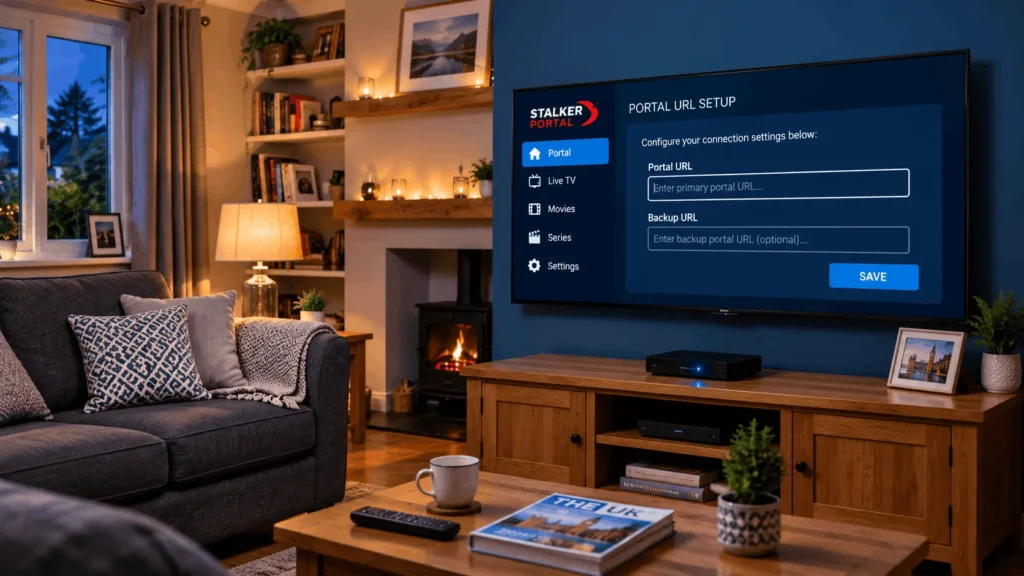
Navigate to Settings → Servers → Portals. You should see two fields labelled Primary Portal URL and Backup URL. Most compatible boxes can be configured with either one.
Enter the portal URL accurately.
Check every part of the address, including whether it starts with
httporhttps, the port number, and any trailing slashes. Even one missing or incorrect character can prevent the portal from loading.Save your settings and restart the box.
After saving the details, the set-top box should restart and load your provider’s branded portal. Once configured, switching on the box should take you directly to your live TV interface without requiring you to repeat the setup.
MAC Address — The Key to Stalker IPTV
One of the most confusing aspects of Stalker IPTV for new users is the MAC address. Unlike an M3U URL, which contains the necessary credentials within the URL itself, a Stalker portal identifies the user through the unique hardware address associated with the set-top box.
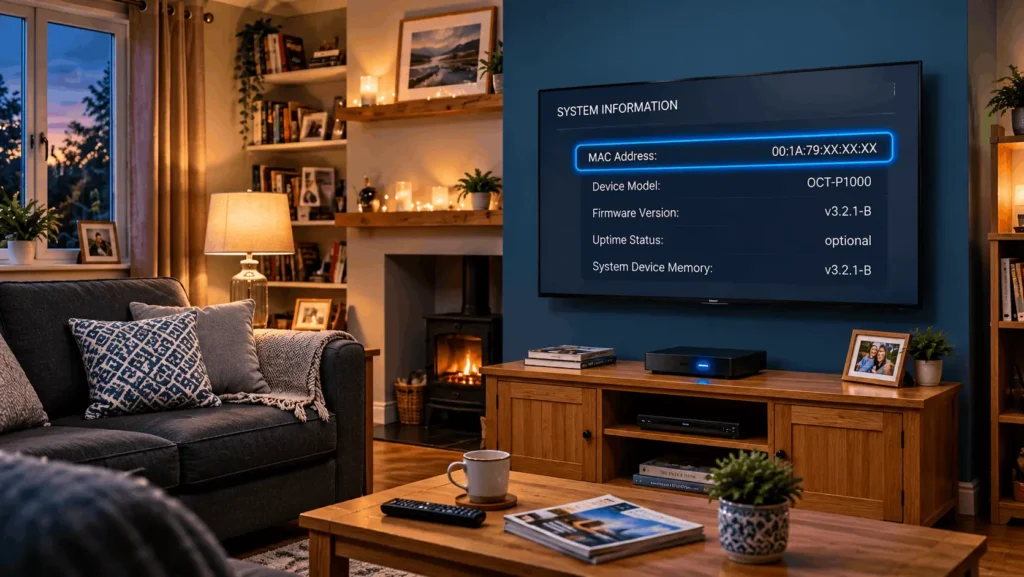
The System Information screen, where you can find the MAC address that needs to be provided to your IPTV provider.
There are three important things to understand about how the MAC address works with a Stalker portal.
1. Each box has its own MAC address.
The MAC address is unique to the device. When your provider associates your subscription with that address, the service is configured to recognise the corresponding set-top box.
2. The address cannot be transferred freely between boxes.
If you replace your existing set-top box, you will need to contact your provider and request an update to the MAC address registered on its server. Reputable providers generally complete this process within a few hours.
3. The MAC address must be configured correctly on the box.
Some devices may have an incorrect MAC address stored internally when they are supplied. If a new setup does not work, check that the address displayed on the screen matches the address printed on the sticker attached to the back of the device.
For this reason, it is also worth keeping a record of your MAC address somewhere safe. If you reset the box to its factory settings, you may need the address again. The sticker underneath the device can also become faded or worn over time.
Common Stalker Portal Issues and How to Fix Them
Most reports of a Stalker portal failing to load can be traced to a small number of common causes. Work through the following troubleshooting steps in order to identify and resolve the problem.
1. Incorrect Portal URL
An incorrectly entered portal URL is one of the most frequent causes of connection problems. Carefully enter the address again using the on-screen keyboard, checking the colons, slashes, and full stops.
If your provider sent the URL by email, you can copy it into a notes application first to check that the address has been entered exactly as supplied.
2. MAC Address Mismatch
If the MAC address configured on your set-top box differs from the address registered with your provider, the portal may display a “subscription not found” error.
Check the MAC address shown in your device settings, send the exact value to your provider, and ask them to confirm that the same address is registered on their server.
3. Slow or Unstable Wi-Fi
Stalker portals can be affected by network interruptions, and even brief connection drops may cause the home screen to freeze or stop responding.
Try connecting your set-top box directly to the router using an Ethernet cable, then restart the device. If the portal starts working correctly, the problem was likely related to your network rather than the portal itself.
4. Outdated Firmware
Older set-top box firmware may not work properly with newer portal systems. Open Settings → System → Software Update and check whether an update is available for your device.
Installing an available firmware update can resolve a surprising number of problems affecting boxes that appear to have stopped working correctly.
5. DNS Problems
If the portal URL and MAC address are correct but the portal still fails to load, the issue may be related to DNS resolution.
Try configuring a different DNS server in your device’s network settings. Public DNS services such as Cloudflare’s 1.1.1.1 or Google’s 8.8.8.8 may resolve provider domains more reliably than your internet service provider’s default DNS settings.
Stalker vs Xtream Codes vs M3U
Stalker is one of three common methods UK households use to connect to IPTV services. Each option has its own advantages, IPTV Stalker Portal UK depending on the device you use and the type of viewing experience you prefer.
Comparison of Stalker, Xtream Codes and M3U Connection Methods
| Method | Best Device | Setup Effort | Overall Experience |
|---|---|---|---|
| Stalker portal | MAG-style STB | Low | Cable-style |
| Xtream Codes API | Smarters, TiviMate | Low | App-style |
| M3U URL | VLC, Kodi, any compatible player | Low | Most flexible |
The practical approach is straightforward: if you own a portal-compatible set-top box, Stalker is generally the natural choice. If you use an Android device or a Firestick with IPTV Smarters Pro, Xtream Codes or an M3U playlist is usually more suitable.
In 2026, providers offering all three connection methods under one subscription can give users more flexibility when setting up different devices around the home without purchasing separate plans. With a stable internet connection and a reliable service, IPTV Stalker Portal UK all three methods can deliver a smooth IPTV viewing experience.
Pricing and Free Trial
StreamIPTV4K offers UK-focused plans that support Stalker portals, Xtream Codes, and M3U connections under the same subscription.
The available plans start at £19.99 for three months, followed by £29.99 for six months and £45 for a full year. A one-time £350 lifetime option is also available for households that prefer to pay once rather than renew regularly.
According to the stated offer, every plan includes 4K streaming, the full UK sports lineup, and a free 24-hour trial without requiring a card. To get started with a portal-based set-top box, provide your MAC address with your order so that the portal URL can be configured and supplied.
You can find the current offers on the buy IPTV page.
Frequently Asked Questions
Is Stalker portal IPTV legal in the UK?
Stalker middleware is software used within the IPTV industry and is not inherently illegal. As with other streaming technologies, IPTV Stalker Portal UK legality depends on the content being accessed and whether the service has the necessary distribution rights. Using an IPTV subscription with the appropriate licences helps ensure that you remain within the law.
Why does the Stalker portal need my MAC address?
The MAC address acts as the unique identifier used to recognise your set-top box. Unlike an M3U URL, which contains credentials within the address itself, Stalker uses the device’s hardware MAC address to help the provider identify which subscription is associated with which box.
Can I transfer a Stalker subscription to a new box?
Yes, a Stalker subscription can generally be moved to another compatible box, but your provider will need to update the MAC address registered on its server. Send the new device’s MAC address and request the transfer. Reputable providers often complete this process within a few hours, sometimes without an additional charge.
Why is my portal displaying a blank screen?
A blank screen is commonly caused by one of four problems: an incorrectly entered portal URL, a MAC address that does not match the provider’s records, an unstable internet connection, or outdated firmware.
Follow the troubleshooting steps explained earlier in this guide, checking each possible cause until you identify the issue.
Do I need a special box to use Stalker?
Yes, you generally need a portal-compatible Linux set-top box, IPTV Stalker Portal UK such as a MAG-style device, to use a Stalker portal in the intended way.
Android boxes and Firesticks usually run IPTV applications such as Smarters or TiviMate instead. These applications typically connect through Xtream Codes credentials or an M3U URL rather than a Stalker portal URL.
What is the difference between Primary and Backup portal URLs?
The Primary Portal URL is the main address your set-top box attempts to load first. The Backup URL provides an alternative if the primary address fails to respond.
Providers may supply both addresses to help reduce interruptions during temporary server problems. When supported and configured correctly, IPTV Stalker Portal UK the box can switch to the backup address if the primary portal becomes unavailable, helping restore access to the service.