This issue is almost always caused by a timezone offset, and it usually takes just a few minutes to fix once you know where to look.
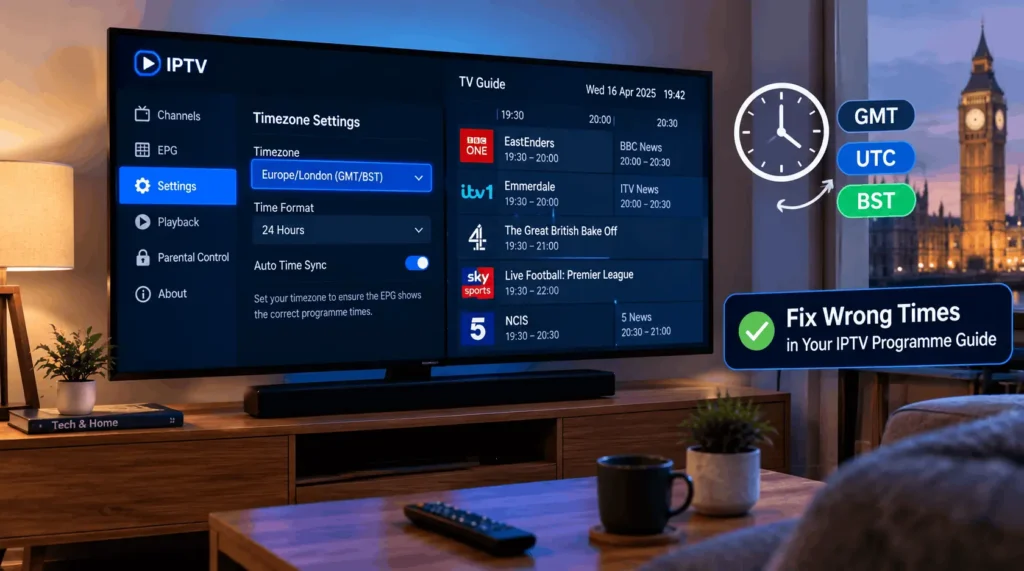
IPTV timezone settings are the main reason your programme guide can be consistently and confidently wrong.
For instance, if the channel is playing the evening news, the guide might show it as an afternoon film, with everything shifted by exactly one hour or three — this is a clear sign that the problem is a configuration issue rather than inaccurate guide data.
This guide explains why the offset happens, how to identify what you’re dealing with, and where to correct it in each major player.
Once you know which setting is responsible, the fix is quick and straightforward.
Why IPTV Timezone Settings Make the Guide Wrong
Programme guide data comes with times linked to a particular reference point.
This is usually UTC — Coordinated Universal Time — and the player is meant to convert these times into your local time before displaying them.
This conversion depends on the player knowing your correct time zone.
If the timezone is set incorrectly, if the player is set to automatic on a device that has the wrong system clock, or if the offset is not applied at all, everything in the guide will shift by the same amount.
The consistency of the error is what makes it easy to spot.
If the guide data were genuinely bad, the errors would be inconsistent — some programmes would be wrong, while others would be correct.But a timezone issue shifts everything by the same amount, making it easier to identify and fix.
Diagnosing Your IPTV Timezone Settings
Take just thirty seconds to do this before making any changes, as it will tell you exactly what needs to be corrected.
Compare what is currently playing with what the guide says is on now.
Calculate the difference.If the offset is exactly one hour, it is likely due to British Summer Time — the UK uses UTC+0 in winter and UTC+1 in summer, and a player set to a fixed offset will be wrong for half the year.If the difference is a whole number of hours other than one, the timezone is set to the wrong region entirely.If the offset is not a whole number, the problem is more likely with the guide source rather than your IPTV timezone settings.
Where to Change IPTV Timezone Settings by Player
Every player has this setting in a slightly different place, but it is almost always near the guide or EPG settings rather than in the main menu.
Smarters-Style Players
Open the settings and look for a section named EPG, Guide, or Player Settings.
There is usually a time offset or timezone field.Some apps allow for a simple plus or minus hours adjustment instead of a full list of timezones, which can be easier to work with once you know the correct offset.
TiviMate
The setting is found under playlist settings rather than global settings, which means it can vary between playlists if you use more than one.
Look for EPG settings and a time shift option.Our TiviMate guide covers the app’s other configuration options.
Smart TV and Box Apps
Check two places.
First, the player app’s EPG settings, and second, the device’s system clock.If the television or box has the wrong system timezone, a player set to automatic will inherit it.This is a common issue, as the device clock might display correctly on screen but still report the wrong region internally.
Check the System Clock First
Before making any changes to the player, confirm that the device itself is correct.
Open your streaming device’s system settings and find the date and time settings.
Make sure that the timezone is set to your actual location, that automatic time is enabled if available, and — on UK devices — that daylight saving is being handled instead of being left on a fixed winter offset.
A player set to automatic timezone will follow the system clock exactly.
Fixing the device settings can fix the guide without changing anything in the app, which is the cleaner solution when it works.
Common IPTV Timezone Offsets Explained
| Offset You See | Likely Cause | Fix |
|---|---|---|
| Exactly 1 hour, in summer only | Daylight saving not applied | Enable automatic DST or shift by +1 |
| Exactly 1 hour, all year | Set to UTC instead of local | Set timezone to your region |
| 2–5 hours | Wrong region selected | Correct the timezone in settings |
| Offset only on some channels | Guide source issue, not timezone | Nothing to fix locally |
| Not a whole number of hours | Guide data problem | Contact your provider |
When It Is Not the IPTV Timezone Settings
Understanding this helps avoid unnecessary work.
If only some channels show the wrong time while others are correct, it means the IPTV timezone settings are correct and the issue is with the guide data for those specific channels.
If the guide is missing altogether, rather than just being wrong, it is often because of the login method—plain playlist links usually don’t include guide data, whereas full credentials provide it.Our EPG guide explains how guide data is shared.
Additionally, if the guide is accurate but catch-up content plays the wrong programme, it’s a separate issue covered in our catch-up guide.
After You Change the IPTV Timezone Settings
There are two things you should do to confirm if the fix worked.
First, fully close and reopen the player, rather than just going back to the main menu—guide data is often cached, so old times may still show until it refreshes.
Some apps also offer a manual “refresh EPG” option, which can force an immediate reload.
Then, check a channel where you know what time a programme should be on.
A news bulletin at a fixed time is a good reference.If the time now matches, it means the offset has been corrected.
Frequently Asked Questions
Why do my IPTV timezone settings put the guide one hour out?
This is usually due to daylight saving.
In the UK, the time shifts between UTC+0 and UTC+1, and a player set to a fixed offset will show the wrong time for half the year.
Should I change IPTV timezone settings on the player or device?
First, check the device‘s system clock.
A player set to automatic inherits this, so fixing the device will also fix the player.
Why is only one channel wrong?
This is due to the guide source for that specific channel, not your timezone settings.
There’s nothing you can do locally to fix it.
Do IPTV timezone settings affect playback?
No.
Live streams are not affected.These settings only change the display of the guide.
My guide is missing entirely, not wrong.
This is usually because of the login method.
A plain playlist link often doesn’t include guide data, while a full credentials login does.
Do I need to change IPTV timezone settings twice a year?
Not if you have automatic timezone enabled.
Only fixed manual offsets require seasonal changes.
Getting the Guide Right
Always check the device‘s system clock first, then adjust the player‘s EPG offset, and refresh the guide so the change takes effect.Every British IPTV subscription includes full guide data, so once the offset is correct, it will remain accurate.The same settings apply across all providers.
Any IPTV service in the UK delivers guide data in UTC, which your player must convert locally.